
Internal Dashboard Build
Implementing a multi-tiered support system and designing an internal-use dashboard.
Project Summary
ROLE: UX Designer & Researcher
KEY SKILLS: UX Research & Design, Service Design
TOOLS: Jira, Figma, Slack
Outline
Background
A rapidly growing SaaS company hired me as the first and only Product Support person. I researched and implemented an internal support system to assist the Customer Support and Sales teams with technical issues and product knowledge. I spent my days investigating and resolving technical problems for the organization, and I became the official Bug Hunter.
Process
In this project, I utilized the Double Diamond Design process and ensured that the human perspective was included at every stage of the problem-solving process.
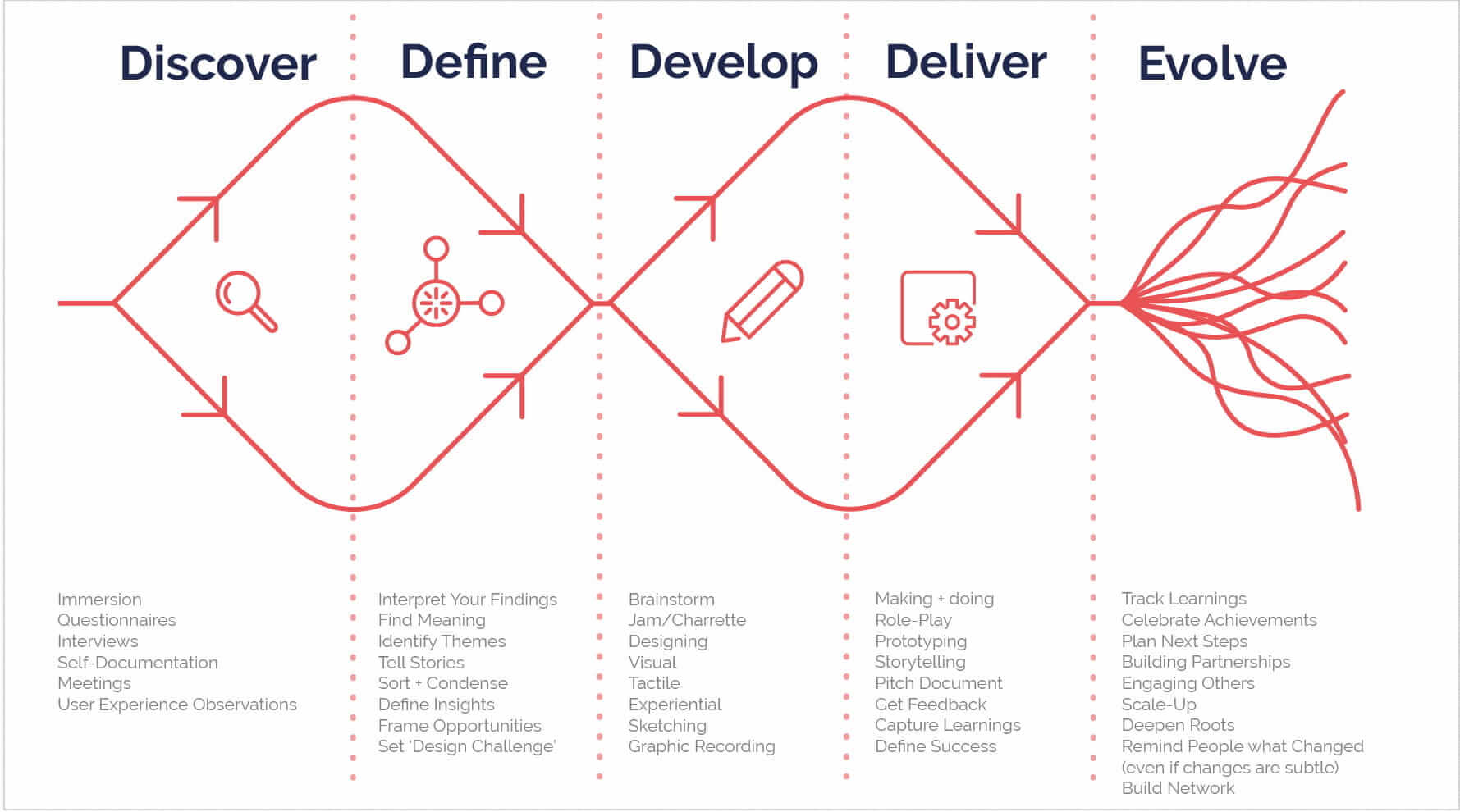
Double diamond design process
Discover
Data-driven research: After observing a few patterns in the tickets, I used the ticket-tracking system built into Jira to collect data. The numbers confirmed my suspicions: 62% of the tickets submitted were As Expected behaviours. I determined the source of the issue and how to remedy it.
Data Gathering: I jumped right in with the support staff to map out the service blueprint.
- I shadowed the senior member of the ProHelp team to understand how she problem-solved with our clients.
- I sent surveys to a large portion of our support staff to understand their most common pain points.
- I dug deeper into the tickets, sorting them into a few As Expected categories.
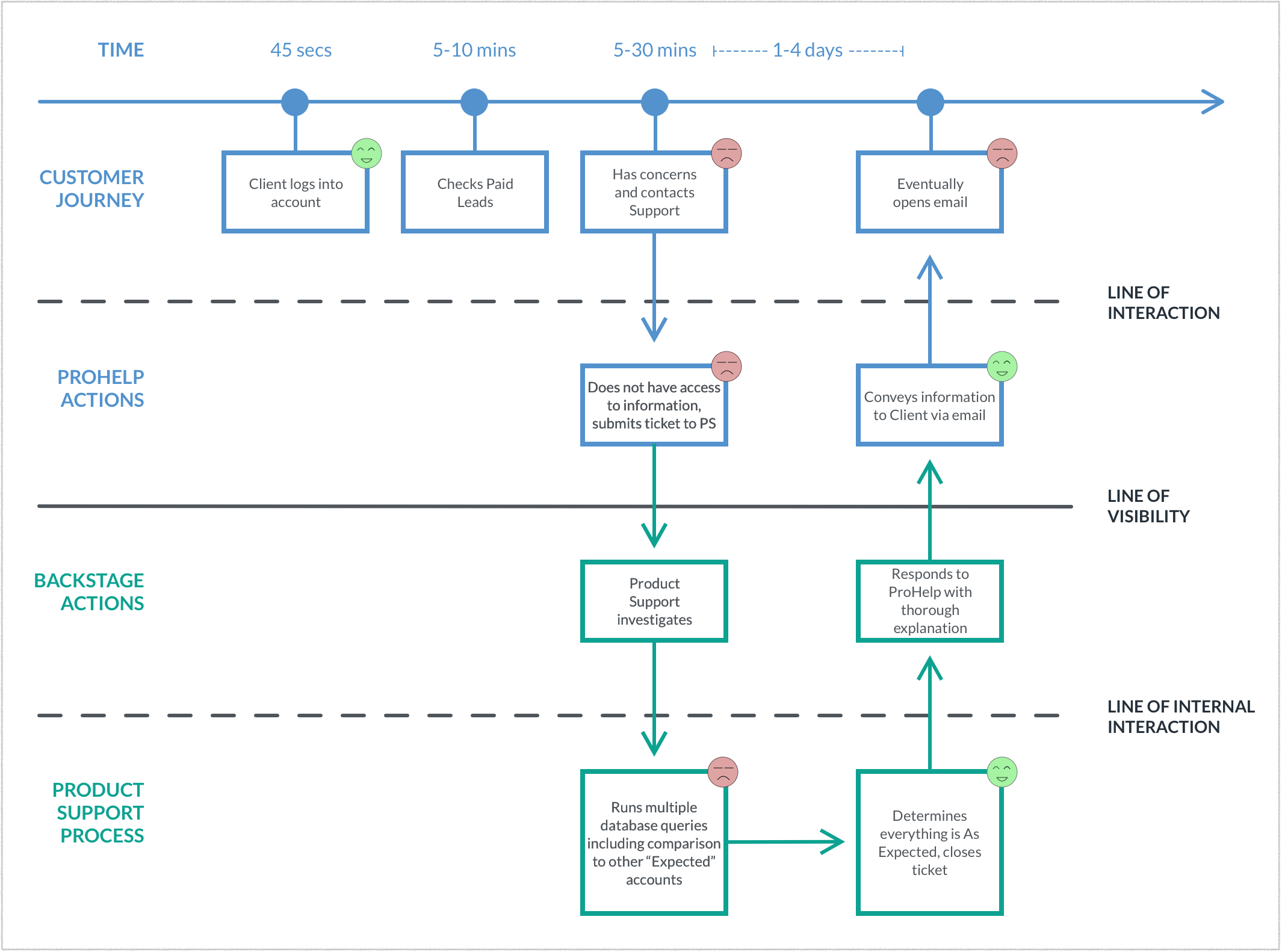
Service blueprint
Discover
Data-driven research: I compiled personas and empathy maps of our Support and Clients to get a sense of their interactions and motivations.
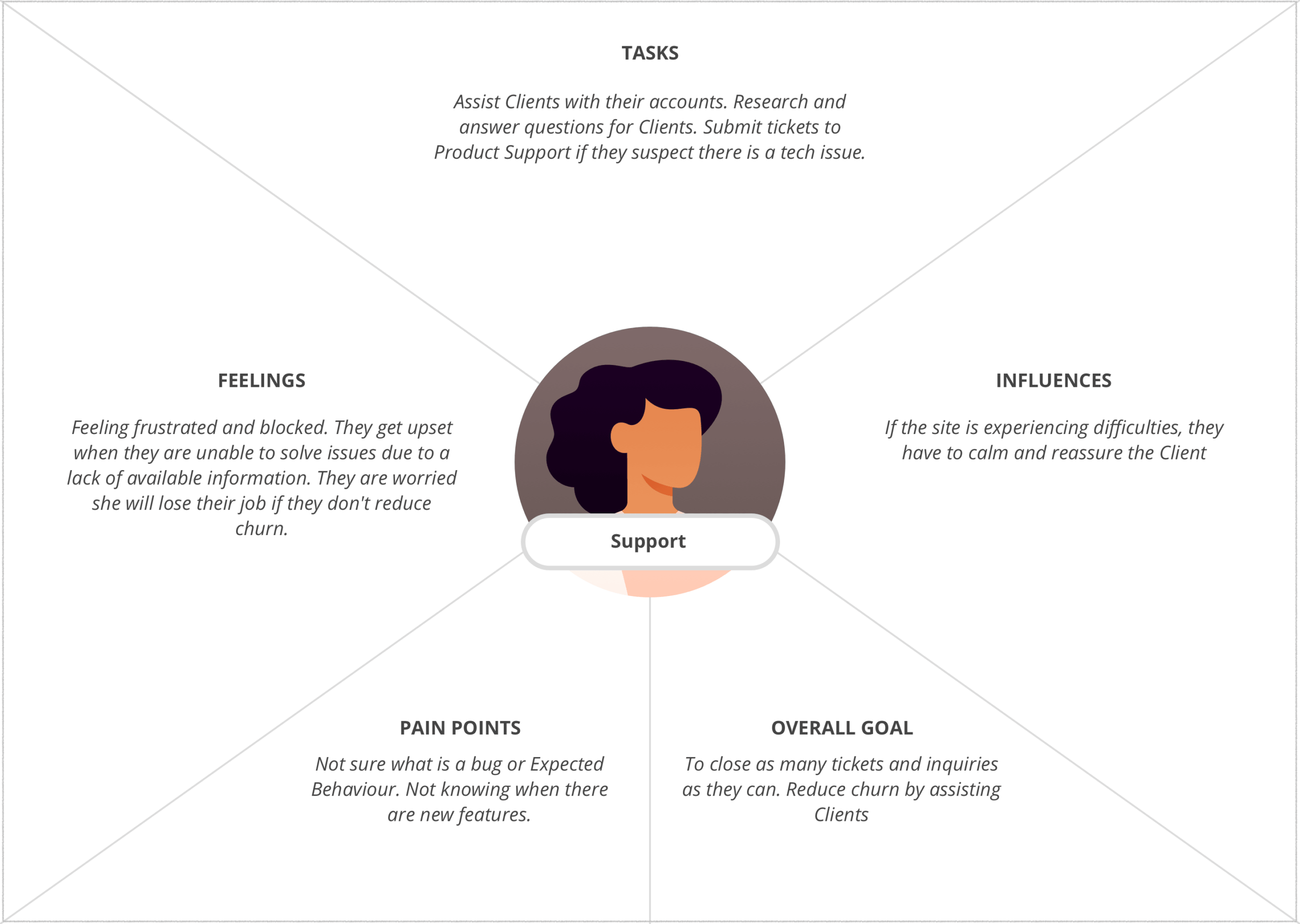
Empathy map for Pro Help support staff
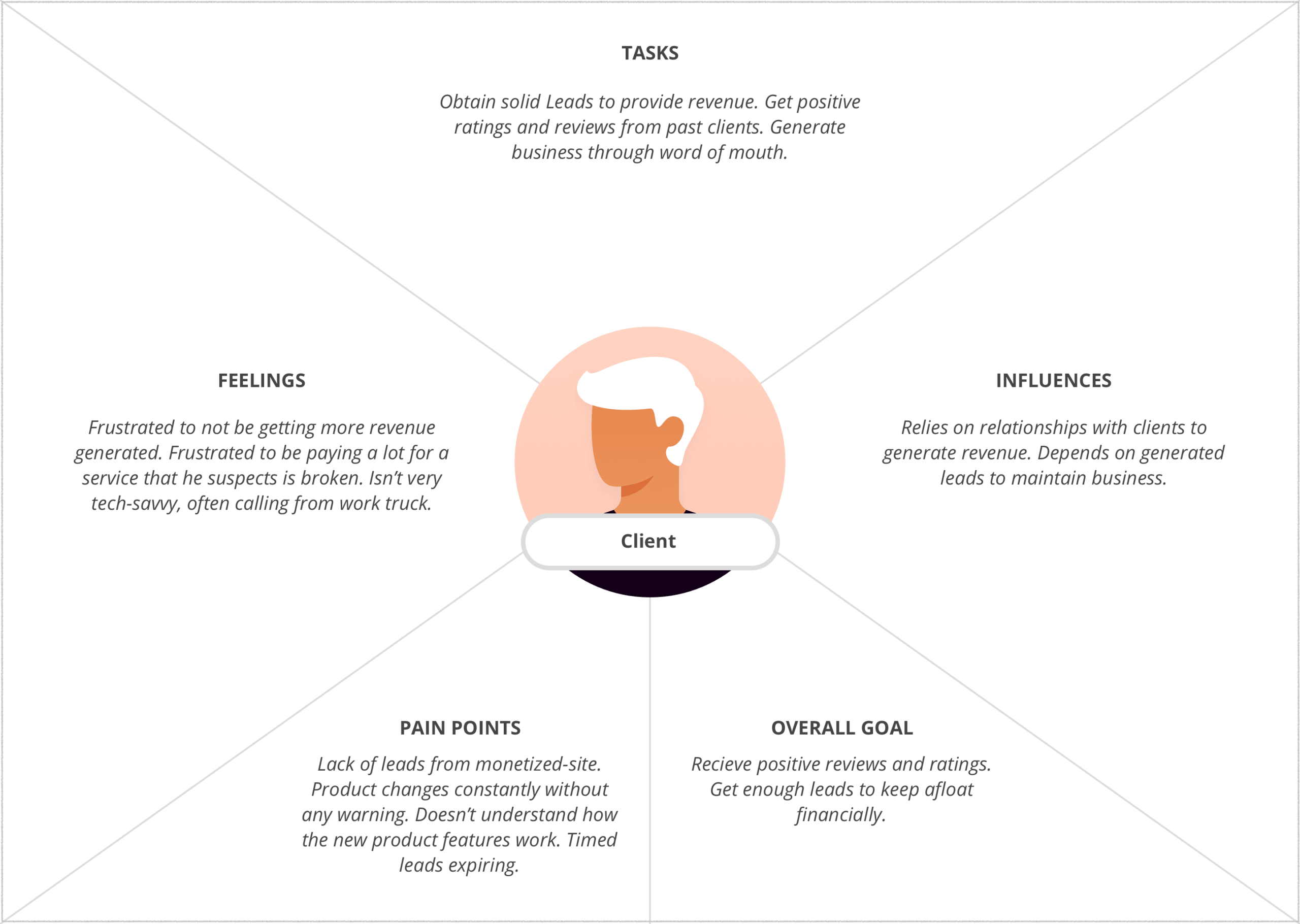
Empathy map for client
Define
Gain insights & define problem: I determined a lack of product knowledge was at the root of 80% of the As Expected tickets. I broke that down even further to find where that knowledge was dropping off.
These issues created a lack of trust, frustrated support staff, and avoidable support tickets.
The three main issues:
- Lack of knowledge
- Lack of transparency and communication about product changes
- Lack of training and support for our support staff
From there, I defined the focus. How Might We provide support teams with comprehensive product knowledge?
Develop Solutions
I implemented a multi-tiered support system to deal with the top issues found.
Lack of transparency
I facilitated an organization-wide Slack channel to provide:
- Daily product updates
- Daily bug reports, including tips and short-term workarounds
- Alerts for high-level bugs with user-friendly explanations for our clients
- Weekly updates on future product updates, including what the dev team was currently working on
I held weekly 1:1s with the CTO and leadership from Product and Customer Support to keep the Slack channel relevant.
Lack of training
- I facilitated Lunch and Learns for support and sales teams
- I maintained another Slack channel for knowledge drops and questions
- I explained features in the support channel if there were four or more similar tickets
Lack of knowledge
- I created extensive documentation
- I created cheat sheets with user-friendly technical explanations
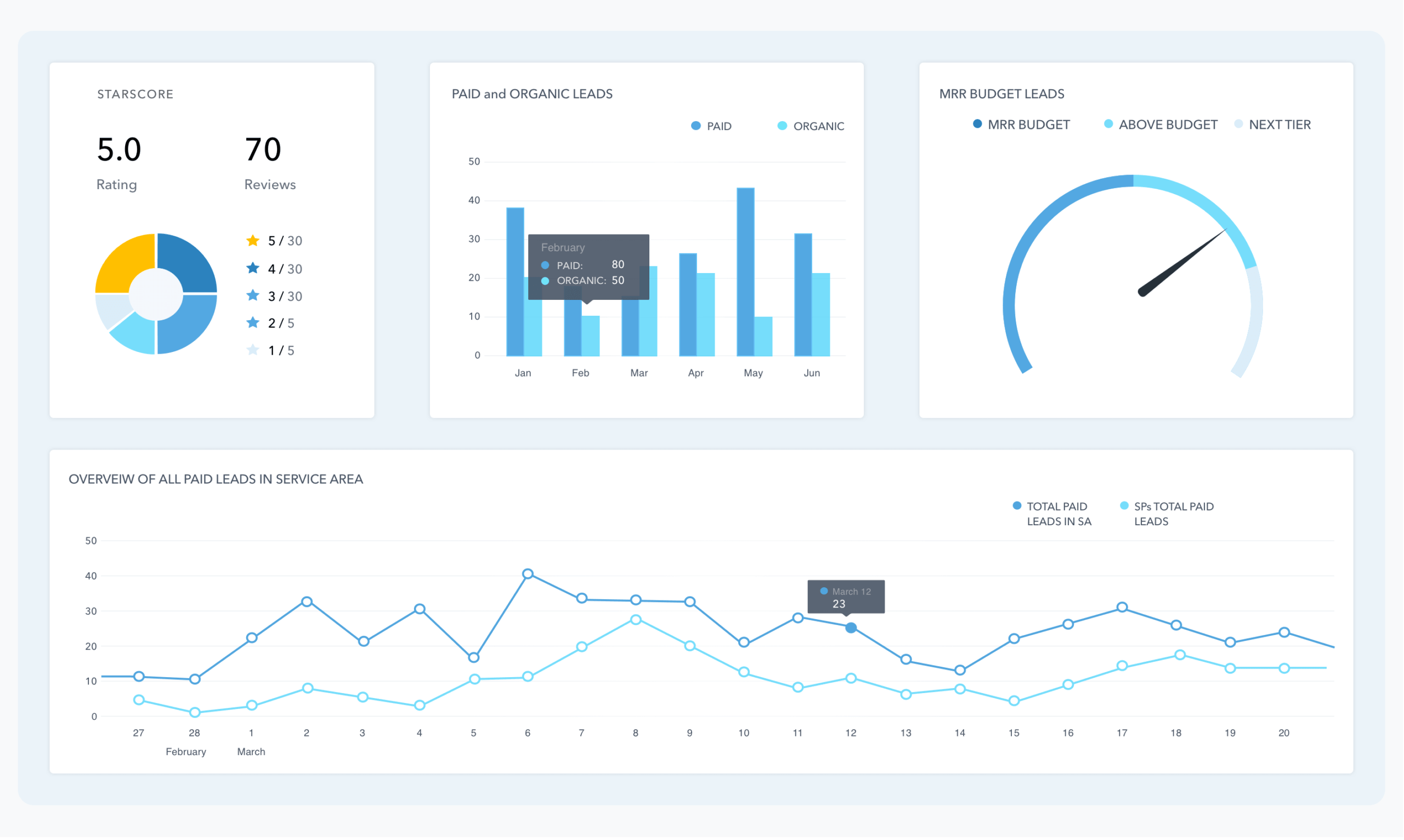
- I designed an internal use dashboard for support teams to enhance their efficiency
Dashboard Build
The most prominent questions from the SP’s were about Paid Leads. The site had recently monetized Leads, which in turn increased the urgency of the inquiries. Most frequent concerns/comments:
- “I’m not getting enough Paid Leads!”
- “How many leads am I getting in comparison to others?”
- “How much do I have left in my budget?”
- “I am not getting as many as I used to!”
Tech Collaboration: I worked with the data scientist to create database queries. I compiled a list of my regular queries, which he combined into a complex algorithm. We compiled a few more queries for other dashboard components.
Deliver
I created multiple design sketches, developed wireframes, and designed the interface. I also conducted user testing with two members of the customer support team.
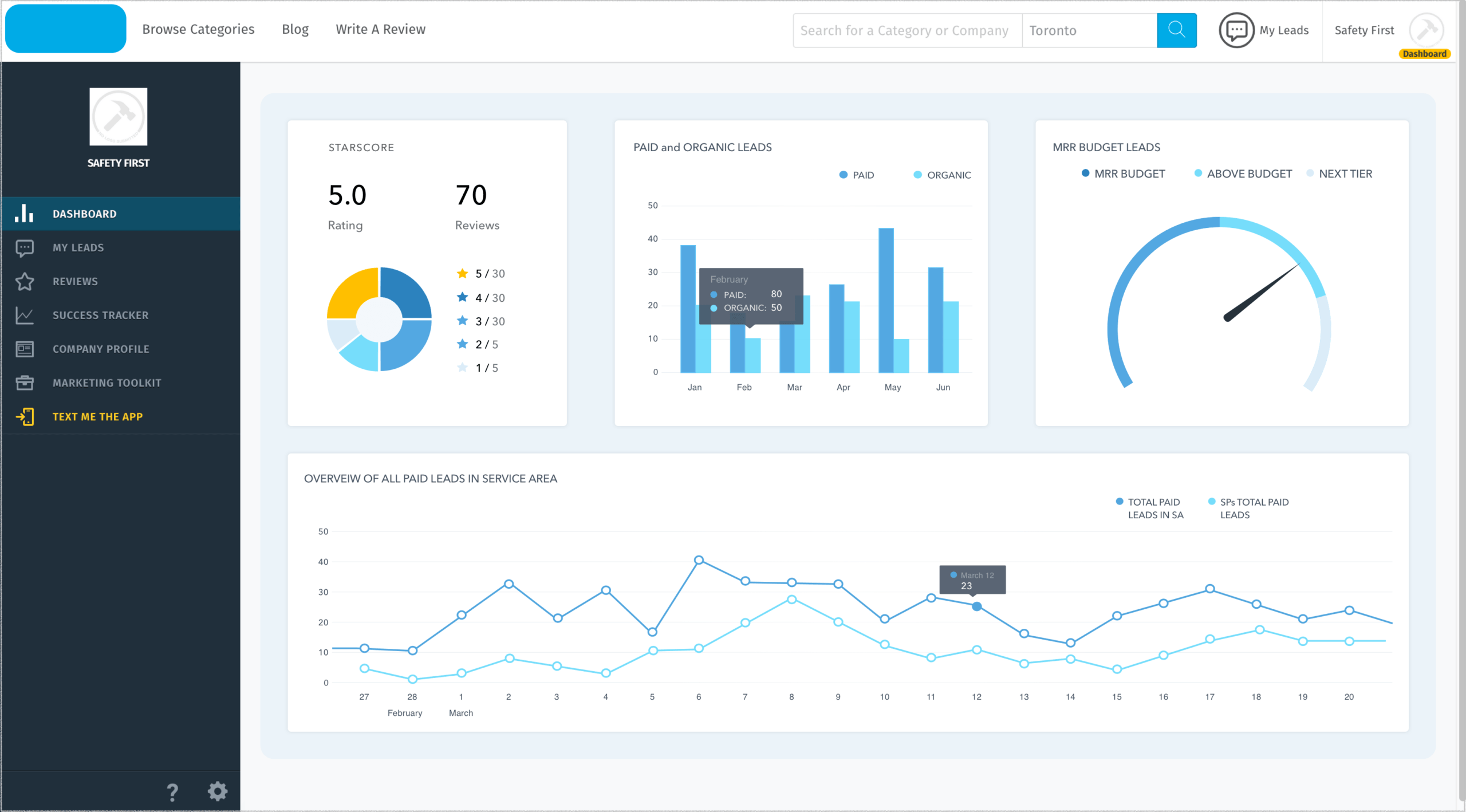
Dashboard in it’s environment
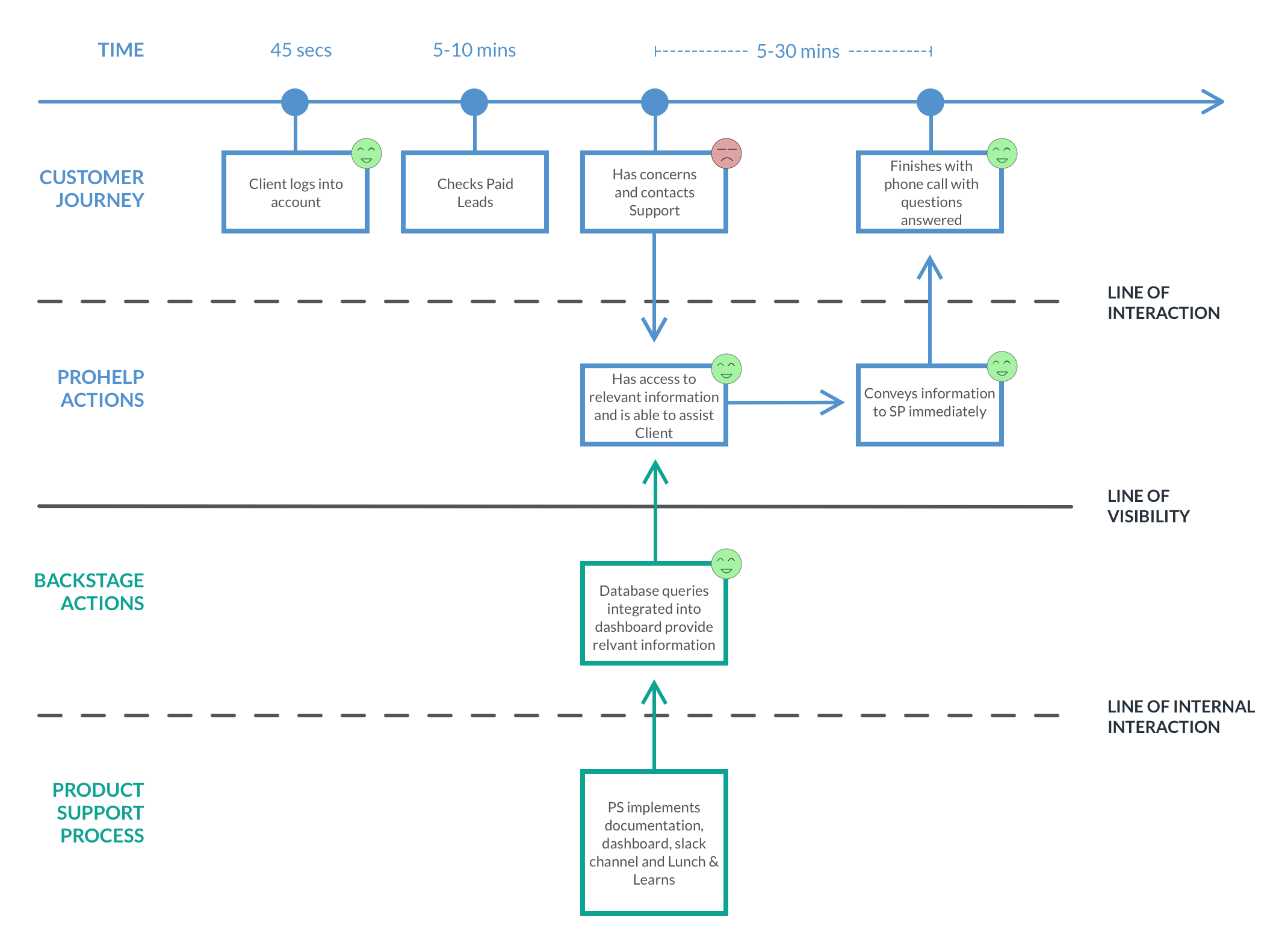
Service blueprint post redesign
Measure of Success
- 80% reduction of As Expected tickets submitted
- Support teams able to answer client’s questions during the initial conversation
- Significant reduction in call volume and call-backs
- 30% reduction in churn
- Support team felt engaged and supported